Welcome to Living Your Senior Life! Today, I’m thrilled to dive into the world of the Kindle Paperwhite Signature Edition, a remarkable device designed to enhance the reading experience. I’m excited to share an in-depth review of this exceptional e-reader.
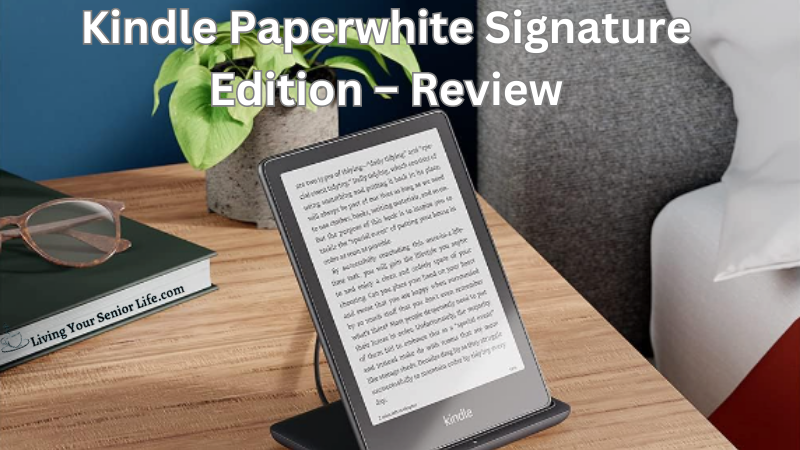
The Kindle Paperwhite Signature Edition offers a host of features to meet the needs of readers, making it an ideal companion for your reading adventures. Whether you’re an avid bookworm or someone looking to rediscover the joy of reading, this device is sure to elevate your reading experience to new heights.
LivingYourSeniorLife is supported by its audience. When you purchase through links on our site, we may earn an affiliate commission at no cost to you. Learn more.
Key Features
High-Resolution E-Ink Display: The Kindle Paperwhite Signature Edition boasts a high-resolution e-ink display with a pixel density of 300 ppi (pixels per inch). This results in sharp and clear text, creating a reading experience that closely resembles ink on paper.
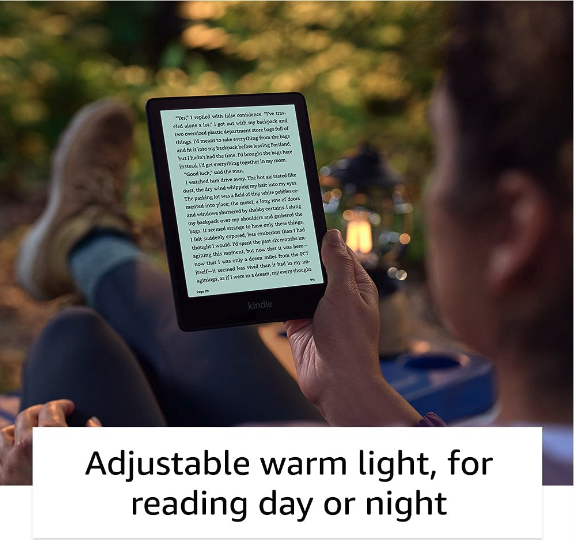
Adjustable Front Light: With the adjustable front light, you can easily customize the brightness of the screen to match your preferences and the lighting conditions around you. This feature ensures comfortable reading day or night, indoors or outdoors.
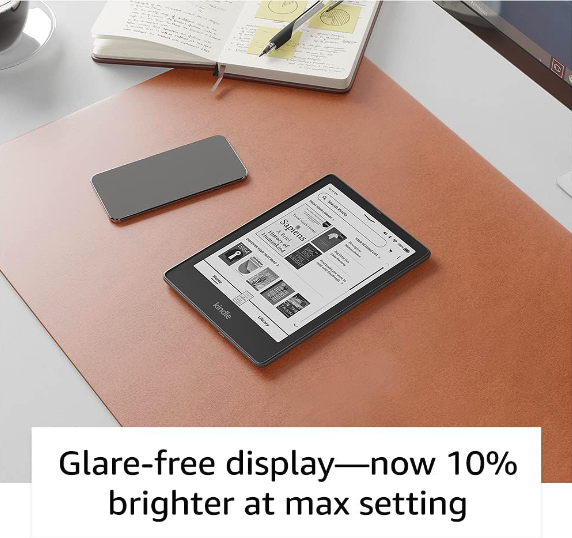
Glare-Free Screen: The glare-free screen of the Kindle Paperwhite Signature Edition minimizes reflections and glare, making it easier to read even in bright sunlight. This enhances readability and reduces eye strain, allowing for extended reading sessions.
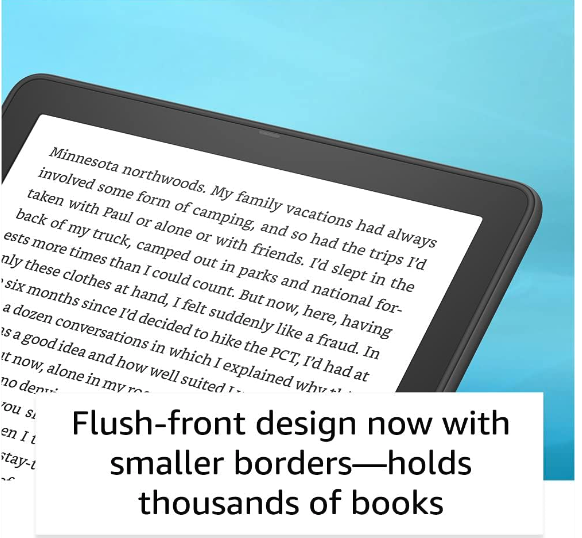
Slim and Lightweight Design: The Kindle Paperwhite Signature Edition is designed to be slim and lightweight, making it highly portable and easy to hold. It is comfortable to use for extended periods, allowing you to enjoy your favorite books wherever you go.
Waterproof Design: The Kindle Paperwhite Signature Edition is designed to withstand accidental splashes and spills. With its IPX8 rating, it can be submerged in up to 2 meters of fresh water for up to 60 minutes without being damaged. This makes it a durable and worry-free device for reading by the pool or at the beach.
Ample Storage Capacity: The Kindle Paperwhite Signature Edition offers ample storage space for your digital library. You can store thousands of e-books, audiobooks, and other reading materials, ensuring that you always have a wide range of options to choose from.
Long Battery Life: The Kindle Paperwhite Signature Edition is optimized for extended battery life. With its power-efficient design, you can read for weeks on a single charge, allowing for uninterrupted reading without the need for frequent recharging.
Integration with Audible: The Kindle Paperwhite Signature Edition seamlessly integrates with Audible, allowing you to switch between reading and listening with ease. You can enjoy audiobooks through the device’s speakers or by connecting Bluetooth headphones or speakers.
Specifications
Display:
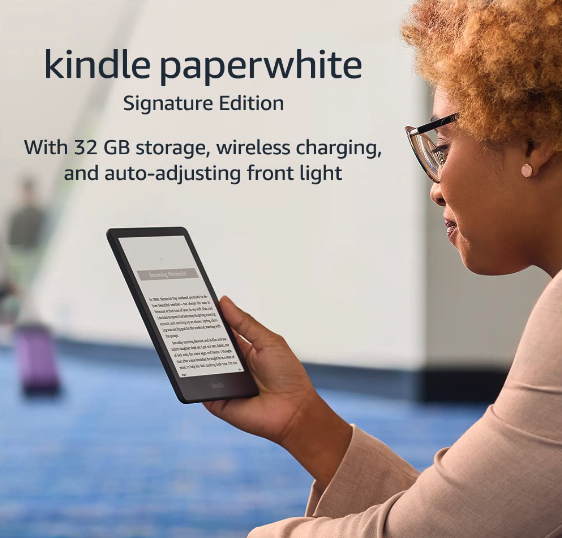
- 6.8″ glare-free e-ink display
- High resolution: 300 ppi (pixels per inch)
- 16-level grayscale for crisp text and images
Adjustable Front Light:
- Built-in adjustable front light for comfortable reading in various lighting conditions
- Easily adjust the brightness to suit your preferences
Waterproof Rating:
- IPX8 waterproof rating
- Can be submerged in up to 2 meters of fresh water for up to 60 minutes
Design:
- Slim and lightweight design for easy portability
- Dimensions: 6.9” x 4.9” x .32” (174 x 125 x 8.1 mm)
- Weight: 7.3 ounces
Storage and Connectivity:
- Internal storage 32 GB
- Free cloud storage for Amazon content
- Wi-Fi connectivity to download e-books and access other online features
Battery Life:
- Battery life varies based on usage and wireless connectivity
- With typical use, a single charge can last up to 10 weeks
- USB charging cable included for easy charging
Supported Formats:
- Kindle Format 8 (AZW3), Kindle (AZW), TXT, PDF, unprotected MOBI, PRC natively
- HTML DOC, DOCX, JPEG, GIF, PNG, PMP through conversion;
- Audible audio format (AAX).
Audio Features:
- Connect Bluetooth headphones or speakers for wireless audio playback
Accessibility Features:
- Adjustable font sizes and bold text
1-year limited warranty
Kindle Paperwhite Signature Edition: An Overview
The Kindle Paperwhite Signature Edition sets a new standard in e-reading technology. With its crisp display, adjustable front light, and sleek design, it’s a device that combines style with functionality.
Enhanced Reading Experience
One of the standout features of the Kindle Paperwhite Signature Edition is its high-resolution display. Boasting a 300 ppi pixel density, this e-reader ensures text and images appear sharp and clear. The glare-free screen is a game-changer, allowing readers to read comfortably in various lighting conditions, whether indoors or outdoors.
The adjustable front light is a boon, as it enables you to customize the brightness according to your preferences. With just a few taps, you can find the perfect lighting for a relaxing reading session, reducing strain on your eyes.
Sleek and Portable Design
The Kindle Paperwhite Signature Edition is designed with both style and portability in mind. Its slim and lightweight construction makes it easy to hold and carry, ensuring hours of comfortable reading without fatigue.
Ample Storage and Long Battery Life
With the Kindle Paperwhite Signature Edition, you’ll never have to worry about running out of reading material. The device offers generous storage capacity, allowing you to carry an entire library in the palm of your hand. Whether you’re in the mood for classic novels, self-help guides, or gripping mysteries, you’ll have a wealth of options at your fingertips.
Additionally, the long-lasting battery life of the Kindle Paperwhite Signature Edition is truly impressive. Thanks to its power-efficient design, you can enjoy up to 10 weeks of reading without the need to recharge. This means fewer interruptions and more time immersed in the captivating worlds of your favorite books.
Senior-Friendly Features
Accessibility options make the Kindle Paperwhite Signature Edition particularly well-suited for seniors. The device offers adjustable font sizes, large display options, and screen magnification, catering to those with visual impairments or reading difficulties. Seniors can customize the text size to ensure comfortable reading without straining their eyes.
In addition, the integration of Audible, the leading provider of audiobooks, is a standout feature. This integration allows you to seamlessly switch between reading and listening, offering flexibility for seniors who prefer audiobooks or find it challenging to read. Immerse yourself in captivating narratives, no matter your preferred reading format.
What We Like
- Enhanced Reading Experience: The high-resolution e-ink display with adjustable front light ensures a comfortable and immersive reading experience, with sharp text and minimal glare.
- Senior-Friendly Features: The Kindle Paperwhite Signature Edition offers accessibility options such as adjustable font sizes, large display options, and screen magnification, making it user-friendly for seniors with visual impairments or reading difficulties.
- Sleek and Portable Design: The slim and lightweight design of the Kindle Paperwhite Signature Edition makes it easy to hold and carry, ideal for seniors who enjoy reading on the go.
- Ample Storage and Long Battery Life: With generous storage capacity, the device can store a vast library of books, and the long-lasting battery allows for weeks of reading without needing to recharge.
- Integration with Audible: The seamless integration of Audible provides the option to switch between reading and listening, catering to seniors who prefer audiobooks or have difficulty reading.
Areas for Improvement
- While the Kindle Paperwhite Signature Edition is a remarkable e-reader, some users have expressed a desire for more customization options in terms of font styles and formatting.
- Although the device is waterproof, some users have reported that the touchscreen can be less responsive when wet, which could be improved for better usability.
- It would be beneficial to have more built-in organizational features to help manage large libraries, such as enhanced sorting options or customizable collections.
FAQs
At Living Your Senior Life, we understand that you may have questions about the Kindle Paperwhite Signature Edition. To help clarify any concerns you may have, we’ve compiled a list of frequently asked questions and their answers:
Can I read in the dark with the Kindle Paperwhite Signature Edition?
Absolutely! The Kindle Paperwhite Signature Edition features an adjustable front light that allows you to read comfortably in low-light or dark environments. Simply adjust the brightness according to your preference, and you can enjoy your favorite books without disturbing others or straining your eyes.
Is the Kindle Paperwhite Signature Edition waterproof?
es, indeed! The Kindle Paperwhite Signature Edition is designed to withstand accidental spills and splashes. With an IPX8 rating, it can be submerged in up to 2 meters of fresh water for up to 60 minutes. So, whether you’re reading by the pool or in the bath, you can have peace of mind knowing that your device is protected against water damage.
What is the purpose of the Kindle Paperwhite Signature Edition and a Tablet?
The Kindle Paperwhite Signature Edition is primarily designed for reading e-books, while tablets are more versatile and can be used for various purposes like web browsing, email, social media, multimedia consumption, gaming, and productivity tasks.
Additional Reading


Verdict and Conclusion
In conclusion, the Kindle Paperwhite Signature Edition is a game-changer for those who cherish their reading time. Its remarkable features, including the high-resolution display, adjustable front light, sleek design, ample storage, and long battery life, all contribute to an exceptional reading experience.
With all products, features can change, so be sure the qualities that attract you to the product are still the same before purchasing.
Have you tried an Ebook reader? We would love to hear about your experience! Share your thoughts in the comments below. Did it enhance your reading enjoyment? Were there any standout features you appreciated? We can’t wait to read your feedback!