In a world where technology has revolutionized the way we consume information, e-Readers have emerged as the go-to devices for book lovers. With their compact size, versatile features, and convenience, eReaders offer a unique reading experience that combines the joy of reading with the benefits of digital technology. Whether you’re an avid reader who can’t get enough of books or someone who simply enjoys reading on the go, eReaders have become an essential tool for modern-day bibliophiles.

Gone are the days of carrying around bulky stacks of books or struggling to read small font sizes on mobile devices. eReaders provide a dedicated platform for reading designed specifically to enhance the reading experience. These devices feature high-resolution displays that mimic the look of real paper, making it easier on the eyes and providing a more immersive reading experience. Additionally, most eReaders offer adjustable lighting options, allowing you to read comfortably in any lighting condition, whether it’s a sunny beach or a dimly lit room.
One of the key advantages of eReaders over traditional books is their portability. With the ability to store thousands of books in a single device, you can carry your entire library wherever you go. Whether you’re traveling, commuting, or simply lounging at home, having access to a vast collection of books at your fingertips is a game-changer. eReaders are lightweight and compact, fitting snugly into your bag or even your pocket, ensuring that you’re never without your favorite books.
Furthermore, eReaders offer a range of additional features that enhance the reading experience. Many devices come with built-in dictionaries, allowing you to look up definitions or unfamiliar words instantly. Some eReaders also provide features like note-taking, highlighting, and bookmarking, making it easier to engage with the text and keep track of your favorite passages. Additionally, most eReaders offer customizable font sizes and styles, enabling you to personalize your reading experience according to your preferences.
Choosing the best eReader for your needs can be a daunting task, considering the wide range of options available in the market. Factors such as display quality, lighting options, water resistance, battery life, and price all play a role in determining which eReader is the right fit for you. In the following sections, we will explore some of the best-rated eReaders on the market, highlighting their key features and benefits, to help you make an informed decision.
So, whether you’re a bookworm, a student, or simply someone who appreciates the convenience of digital reading, join us as we dive into the world of eReaders and discover the top contenders for the title of the best-rated Reader.
LivingYourSeniorLife is supported by its audience. When you purchase through links on our site, we may earn an affiliate commission at no cost to you. Learn more.
Amazon Kindle Series
When it comes to eReaders, one name that stands out is Amazon Kindle. The Kindle series has gained a reputation for its exceptional quality and performance. Let’s take a closer look at some of the top models in the Kindle lineup:
Kindle Paperwhite
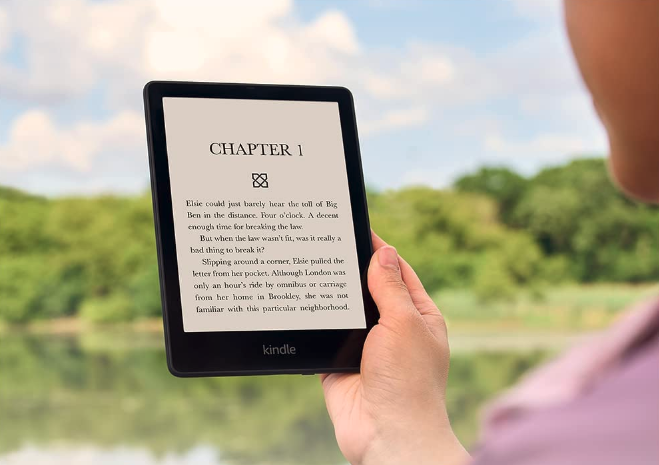
The Kindle Paperwhite is a popular choice among avid readers. It features a high-resolution display that boasts crisp text and sharp images, providing a reading experience that closely resembles reading on actual paper. The built-in adjustable light allows you to read comfortably in any lighting condition, whether it’s bright sunlight or a dimly lit room.
Additionally, the Kindle Paperwhite is designed to be water-resistant, so you can enjoy your reading near water without worrying about accidental splashes or spills. With its long battery life, you can indulge in extended reading sessions without constantly worrying about recharging.
To read my full review go to: Kindle Paperwhite Review
Kindle Oasis
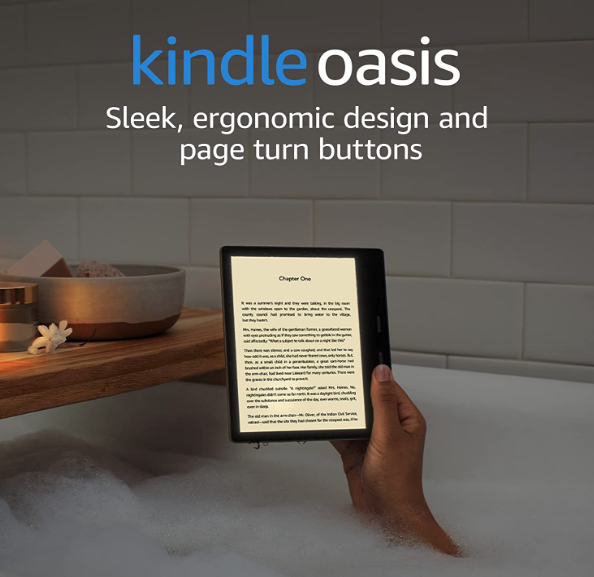
For those seeking the ultimate reading experience, the Kindle Oasis delivers. With a larger display (7 inches) and a sleek design, the Oasis offers enhanced readability and a luxurious feel. The ergonomic design makes it comfortable to hold with one hand, while the warm light feature reduces eye strain during nighttime reading sessions. The waterproof Oasis also comes equipped with physical page-turn buttons, providing a tactile and convenient way to navigate through your favorite books.
Kindle Paperwhite Signature Edition
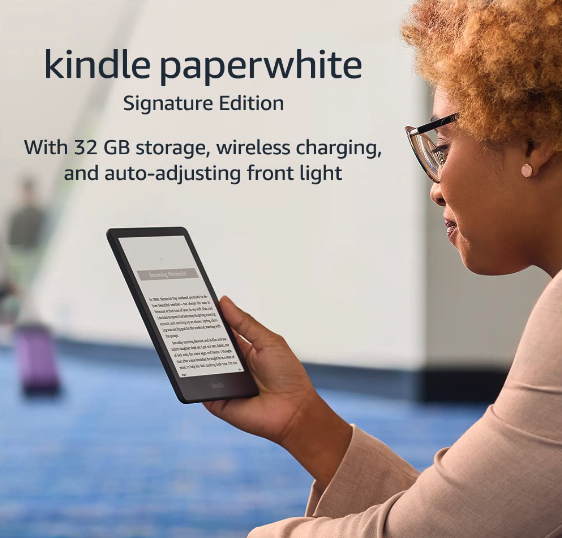
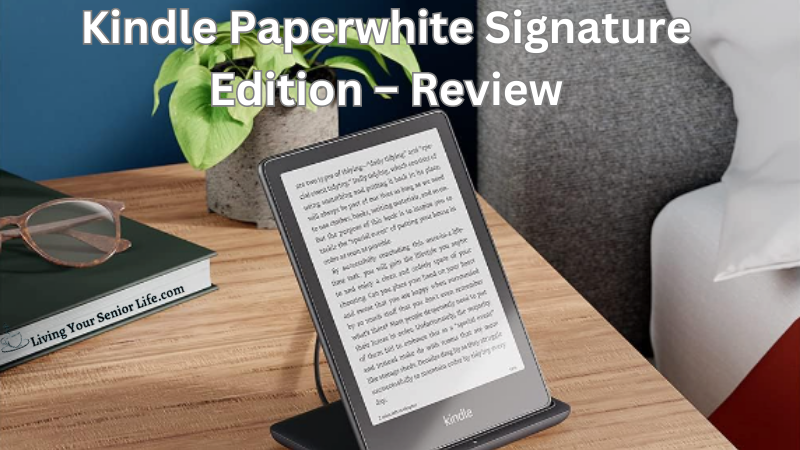
The Kindle Paperwhite Signature Edition is a high-end eReader that offers a premium reading experience. It features a 6.8″ glare-free display that reads like real paper, even in direct sunlight. The device has an adjustable warm light that allows you to shift the screen shade from white to amber. It also comes with an auto-adjusting front light that provides ideal brightness for any lighting condition.
The Paperwhite Signature Edition offers 32GB of storage, allowing you to carry thousands of books with you. It also supports Audible audiobooks and has Bluetooth capability for connecting headphones or speakers.
The device is thin, lightweight, and has a sleek design, making it comfortable to hold for extended reading sessions. It’s also waterproof (IPX8 rated), so you can read in the bath or by the pool worry-free. With a single battery charge lasting weeks, the Kindle Paperwhite Signature Edition is a great companion for avid readers.
To read my full review, go to: Kindle Paperwhite Signature Edition – Review
Kobo eReader Series
While Amazon Kindle dominates the eReader market, Kobo has made a name for itself with its feature-rich and user-friendly devices. Let’s explore some of the top models in the Kobo eReader series:
Kobo Clara 2E
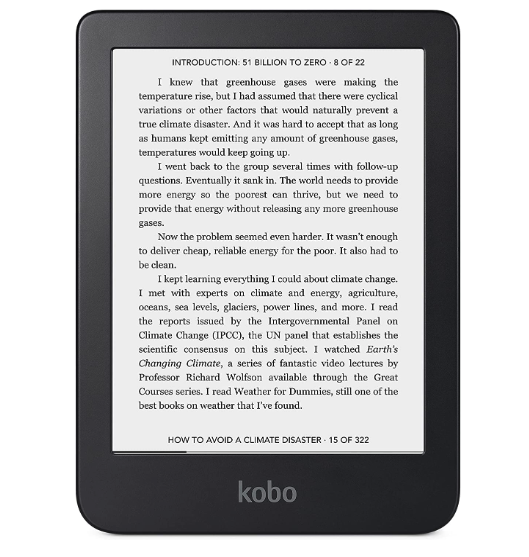
The Kobo Clara 2E is an eco-conscious eReader that offers a high-quality reading experience. Its exterior is made with over 85% recycled plastic, including 10% ocean-bound plastic, making it a more sustainable choice for environmentally conscious readers.
The device features a 6” HD E INK Carta 1200 touchscreen with ComfortLight PRO, which allows you to adjust brightness and color temperature, reducing blue light exposure for a more comfortable reading experience. The Kobo Clara 2E has 16GB of storage, allowing you to carry up to 12,000 eBooks with you. It also boasts a long-lasting battery life, providing weeks of uninterrupted reading on a single charge.
The device is fully waterproof, meeting the requirements of an IPX8 rating, making it safe for use in the bath or by the pool. The Kobo Clara 2E is a compact, lightweight, and eco-friendly eReader that offers a superior reading experience.
Kobo Libra 2
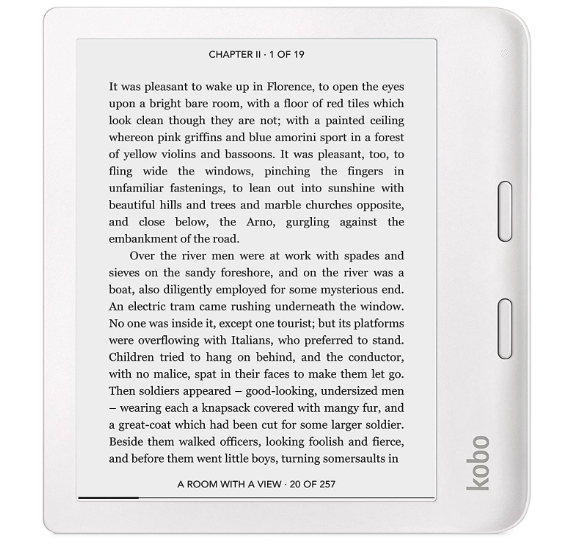
The Kobo Libra 2 is a versatile eReader that offers a comfortable and customizable reading experience. It features a 7″ HD E Ink Carta 1200 touchscreen that delivers a faster display, quicker page turns, and deeper contrast. The screen is always glare-free, making it a perfect companion for outdoor reading. The ComfortLight PRO’s adjustable brightness and blue light reduction technology limit eyestrain and allow you to read well into the night without affecting your sleep.
One of the standout features of the Kobo Libra 2 is its support for Kobo Audiobooks with Bluetooth wireless technology. This hands-free reading option is perfect for those super busy days when you can’t hold a book. The device is also fully waterproof, allowing you to take your story to the park, the beach, the tub, or even out in the rain.
The Kobo Libra 2 comes with 32GB of storage, enough to hold your entire library. It can store up to 24,000 eBooks, 150 Kobo Audiobooks, or a combination of both. This means your latest read or listen is always on hand, wherever you go.
Kobo Sage
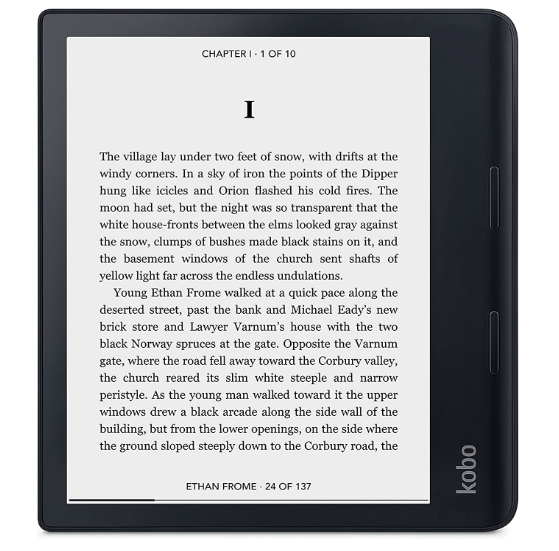
The Kobo Sage is a top-tier eReader that offers a comprehensive and immersive reading experience. It features an 8″ HD flush E Ink Carta 1200 touchscreen that provides deep contrast and super-clear readability. The device is designed with a quad-core CPU and faster, dual-band WiFi for top performance. It also supports Kobo Audiobooks with Bluetooth® wireless technology, allowing you to listen to your favorite stories hands-free.
Unique to the Sage is its compatibility with the Kobo Stylus (sold separately), enabling you to make handwritten notes in eBooks and PDFs. It also offers a built-in notebook feature that keeps all your notes at hand and can convert your writing to clean text. With ComfortLight PRO, you can adjust the brightness and blue light control, making reading comfortable at any time of the day.
Barnes & Noble Nook Series
The Barnes & Noble Nook series has been a long-standing contender in the eReader market, offering reliable devices that cater to a range of reading preferences. Let’s explore some of the top models in the Nook series:
Nook GlowLight Plus
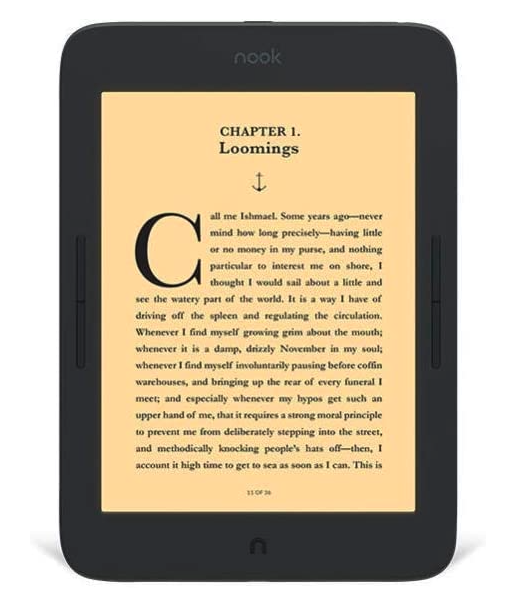
The Barnes & Noble Nook GlowLight Plus 7.8″ eReader is a device designed specifically for book lovers, offering an uninterrupted reading experience free from distractions. It features the largest display and highest resolution among Nook devices, providing crisper text, enhanced contrast, and a glare-free, scratch-resistant screen. The GlowLight Plus illumination and Night Mode make it suitable for reading in any lighting condition, from bright sunlight to bedtime.
The Nook GlowLight Plus is designed for comfort, with a soft touch finish that makes it easy to grip and comfortable to hold for hours at a time. It also includes audio features and a headphone jack for listening to B&N podcasts. The device boasts a long battery life, allowing for weeks of reading on a single charge. It’s also waterproof, making it perfect for reading on rainy days or by the pool.
Nook GlowLight 4
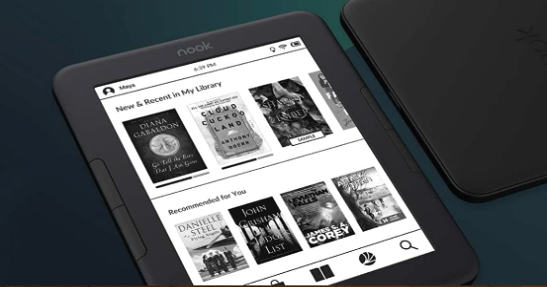
The Barnes & Noble Nook GlowLight 4 eReader is a compact and powerful device that offers a seamless reading experience. It features a 6″ high-resolution 300-dpi screen with built-in glare, scratch, and fingerprint-resistant lens, providing a paper-like reading experience. Whether you’re reading in bright sunlight or in bed, the advanced Ambient (Always-On) GlowLight technology ensures an evenly dispersed light for comfortable reading.
The Nook GlowLight 4 is designed with a soft-touch finish, making it easy to grip and comfortable to hold for hours at a time. You have the option to navigate through the pages using the touchscreen or the physical page-turning buttons, offering flexibility based on your preference. The device boasts a long battery life, allowing you to read for weeks on a single charge, making it perfect for long road trips or remote travels.
With 32GB of storage, the Nook GlowLight 4 allows you to carry your library with you wherever you go. The device also supports the free NOOK Reading App for iPhone, iPad, and Android devices, making it easy to pick up right where you left off, regardless of the device you’re using. In summary, the Nook GlowLight 4 is a great choice for those who want a compact, yet powerful eReader with advanced lighting features and a comfortable design.
Frequently Asked Questions (FAQs)
As we delve into the world of eReaders, it’s natural to have some questions in mind. In this FAQ section, we address some common inquiries to provide you with the information you need. Read on to find answers to frequently asked questions about Readers:
How do eReaders differ from tablets and smartphones?
eReaders are dedicated devices specifically designed for reading eBooks, whereas tablets and smartphones are multi-purpose devices with various functionalities.
While tablets and smartphones offer versatility and the ability to install multiple apps, eReaders provide a focused reading experience with features tailored to enhance reading, such as e-ink displays that mimic the look of real paper, adjustable lighting for optimal reading conditions, and long battery life dedicated to reading sessions.
Additionally, eReaders often have features like note-taking, highlighting, and seamless integration with eBook platforms.
Can I read eBooks from different platforms on an eReader?
Yes, most eReaders support multiple eBook formats, allowing you to access eBooks from various platforms. However, not all eBooks are compatible with all formats.
For example, Kindle eReaders primarily support Amazon’s Kindle format (AZW, AZW3, MOBI), while also being compatible with other popular formats like PDF and TXT. Kobo eReaders support EPUB, PDF, and other common formats, giving you access to eBooks from different online stores and libraries. Nook eReaders primarily support EPUB and PDF formats, along with other compatible formats.
Before purchasing an eReader, ensure that it supports the eBook formats you frequently use or intend to use.
Can I borrow library books on an eReader?
Yes, many eReaders offer the convenience of borrowing eBooks from public libraries. Kindle devices support borrowing eBooks through OverDrive, a popular digital lending platform used by libraries worldwide. Kobo eReaders have seamless integration with OverDrive, enabling you to browse, borrow, and enjoy eBooks from participating libraries directly on the device. Nook eReaders also offer support for borrowing library books, making it easy to access a wide range of titles without physically visiting a library. Check with your local library to see if they offer eBook lending services and which eReader platforms they support.
These FAQs aim to address some of the common questions readers have about eReaders. If you have further inquiries or require more specific information, feel free to reach out to the respective eReader manufacturers or consult the user manuals and support resources provided by each brand. Happy reading!
Additional Reading
Comparison and Conclusion
When choosing the best eReader for your needs, several factors should be considered. Here’s a brief comparison of key features to help you make an informed decision:
- Display quality and resolution: Kindle and Kobo devices offer high-resolution displays with anti-glare technology, providing clear and sharp text. Nook devices also deliver excellent display quality, ensuring an enjoyable reading experience.
- Lighting options for comfortable reading: Kindle Paperwhite, Oasis, Clara 2E, Nook GlowLight Plus, all offer adjustable lighting options to accommodate different reading environments and preferences.
- Water resistance and durability: Kindle Paperwhite, Oasis, Signature, Kobo Clara 2E, Libra 2, Sage, Nook GlowLight Plus are designed to be waterproof, making them suitable for reading near water or in humid conditions.
- Battery life and charging options: Kindle Paperwhite, Signature, Kobo Clara 2E, Oasis, Nook GlowLight Plus, and GlowLight 4 offer long battery life, allowing for extended reading sessions without frequent recharging.
- Price and value for money: Kindle devices are generally more affordable, while Kobo and Nook devices offer a range of features and price points to cater to different budgets and preferences.
- Overall user ratings and reviews: It’s always helpful to consider the feedback and experiences of other users when making a decision. Reading reviews and ratings can provide valuable insights into the performance and user satisfaction of each eReader.
- Personal preferences and reading habits: Ultimately, the best eReader for you depends on your personal preferences, reading habits, and the features that matter most to you. Consider factors such as size, weight, storage capacity, and additional features like note-taking and integration with other services.
Parting Words
In conclusion, the world of eReaders offers a diverse range of options to cater to the needs and preferences of different readers. The Amazon Kindle series, with its Paperwhite, Oasis, and Signature models, provides exceptional display quality, adjustable lighting, and durability. Kobo eReaders, including Clara 2E, and Libra 2 , offer features such as large displays, customizable lighting, and integration with popular services like Pocket and OverDrive. The Barnes & Noble Nook series, with models like the GlowLight Plus, Tablet 10.1″, and GlowLight 4, delivers reliable performance, clear displays, and additional functionalities like app access.
When selecting the best-rated eReader for yourself, consider the factors that matter most to you. Think about your reading habits, preferred features, and budget. Assess the display quality, lighting options, water resistance, battery life, price, and overall user ratings. Ultimately, the best eReader is the one that seamlessly blends technology with the joy of reading, providing you with a comfortable, immersive, and enjoyable reading experience.
So, whether you’re curled up on the couch, lounging by the pool, or embarking on a long journey, an eReader can be your constant companion, opening the doors to endless literary adventures. Embrace the convenience, versatility, and portability that eReaders offer and let your imagination run wild with the vast world of literature at your fingertips.
With all products, features can change, so be sure the qualities that attract you to the product are still the same before purchasing.
Happy reading!
What is the most important feature in an eReader for you? Please comment below.