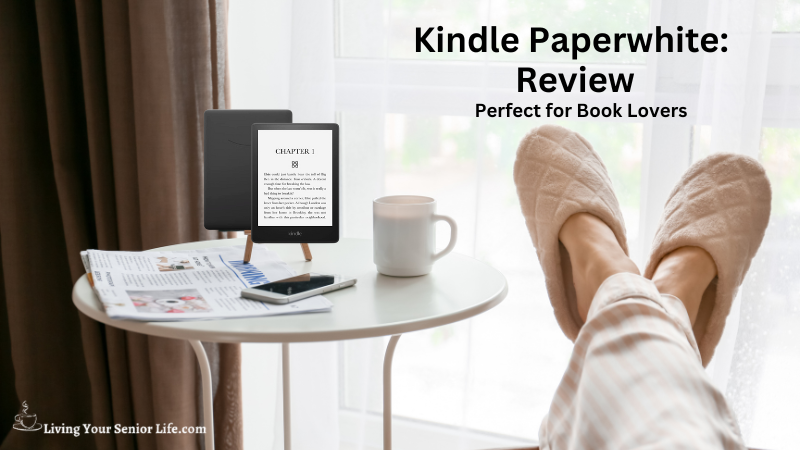
As an avid reader, finding the perfect device to enhance the reading experience is crucial. The Kindle Paperwhite has emerged as a favorite among book enthusiasts, offering a multitude of impressive features, a sleek design, and easy access to a vast digital library. In this Kindle Paperwhite review, we’ll delve into its design, display, reading experience, waterproof capability, storage capacity, and more to help you determine if it’s the right e-reader for you.
LivingYourSeniorLife is supported by its audience. When you purchase through links on our site, we may earn an affiliate commission at no cost to you. Learn more.
Video: Kindle Paperwhite Review

Key Features of the Kindle Paperwhite
Design and Build Quality
The Kindle Paperwhite boasts a sleek and lightweight design, making it comfortable to hold for long reading sessions. The high-quality materials used in its construction ensure durability and a premium feel.
Display: A Glare-Free Delight
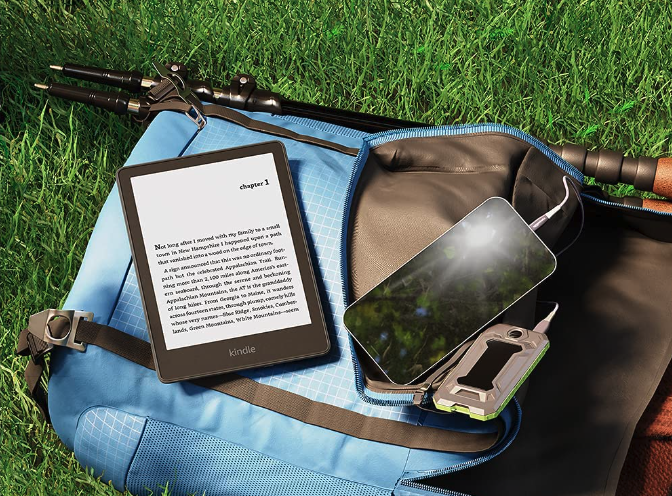
The display screen features a 6.8″ design. A glare-free delight the Paperwhite features a high-resolution E Ink display that mimics the appearance of real paper. With adjustable front lighting, you can enjoy reading in any lighting condition, whether it’s a dimly lit room or a bright sunny day. The lack of glare ensures a comfortable reading experience without straining your eyes.
Reading Experience: Seamless and Customizable
With the Kindle Paperwhite, page-turning and navigation are seamless, allowing you to focus on the story. You can customize the font size and style to suit your preferences, ensuring a personalized reading experience.
Waterproof Capability: Worry-Free Reading
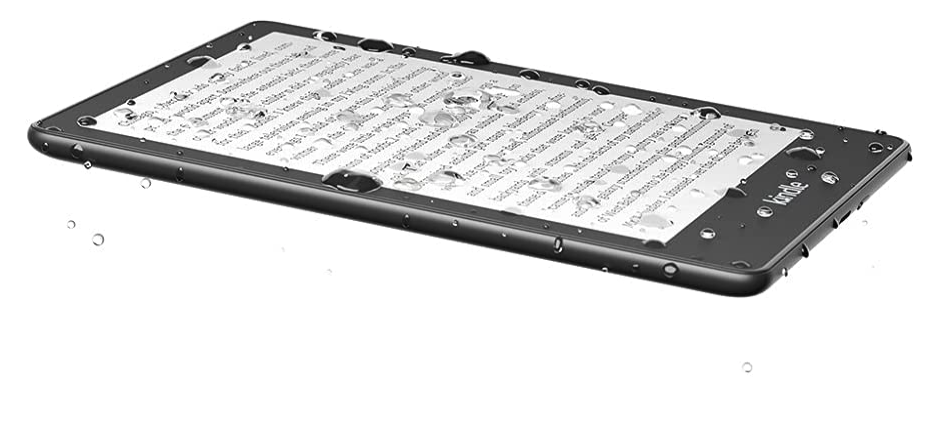
The Kindle Paperwhite’s IPX8 rating makes it waterproof and capable of withstanding accidental water immersion. Whether you’re reading by the pool or in the bathtub, you can enjoy your favorite books without worry. The waterproof feature adds a layer of durability and peace of mind, making it an excellent choice for outdoor reading.
Storage Capacity and Battery Life: Your Library On-The-Go
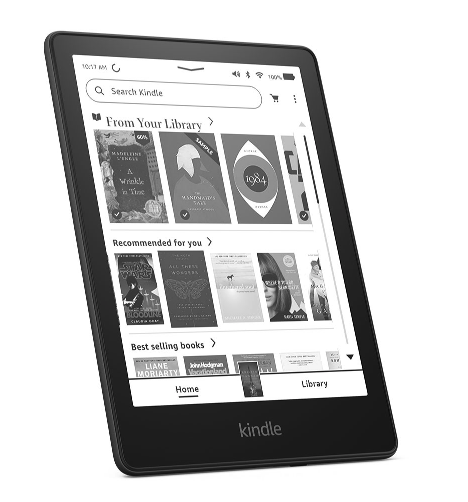
Choose between the 8 GB or 32 GB version of the Kindle Paperwhite, providing ample space for thousands of books, magazines, and comics. You’ll never have to leave a book behind. Plus, the long battery life ensures weeks of uninterrupted reading on a single charge, allowing you to read without constantly searching for a power source.
Book Selection and Accessibility: Millions of Options at Your Fingertips
With access to millions of eBooks from the Amazon Kindle Store, the Kindle Paperwhite opens up a world of reading possibilities. Whether you prefer popular bestsellers or niche genres, you’re sure to find something that captivates you. Kindle Unlimited subscription offers unlimited reading, and Prime Reading provides access to a curated selection of free books for Prime members.
Kindle Features and Functionality
Enhancing the reading experience The Kindle Paperwhite offers several features to enhance your reading experience. Whispersync allows you to sync your reading progress across devices, so you can seamlessly transition from your Kindle to the Kindle app on your smartphone or tablet. The X-Ray feature provides in-depth information about characters, places, and concepts, while Goodreads integration allows you to connect with the reading community and discover new books.
Audible Integration: Listen to Your Favorite Books
The Kindle Paperwhite seamlessly integrates with Audible, allowing you to switch between reading and listening to audiobooks. With synced progress between eBook and audiobook formats, you can easily pick up where you left off, whether you’re reading or listening.
User Interface and Ease of Use: Intuitive and User-Friendly
The Kindle Paperwhite’s user interface is intuitive and user-friendly, making it easy to navigate through menus and access your books. Settings and customization options are readily available, allowing you to personalize your reading experience. The simple interface ensures that even technologically challenged individuals can comfortably use the device.
Connectivity Options: Stay Connected and Share
With Wi-Fi and optional cellular connectivity, the Kindle Paperwhite provides easy access to book downloads and cloud storage. You can effortlessly download new books and connect with social media to share your reading achievements with friends and fellow book lovers.
Reading Enhancements: Tools for Better Comprehension
The Kindle Paperwhite offers additional reading enhancements to improve your comprehension. The Vocabulary Builder helps you learn new words by automatically adding unfamiliar words and their definitions to a personalized vocabulary list. Adjustable text alignment and margin settings ensure comfortable reading, and in-line footnotes provide easy reference within the text.
Parental Controls and Reading Features for Kids: Inspiring Young Readers
The Kindle Paperwhite includes parental controls and reading features designed for kids. Set reading goals and track progress to motivate young readers. Access age-appropriate books and content, and make use of features like Vocabulary Builder and Word Wise to assist children in their reading journey.
Kindle Paperwhite for Students: A Valuable Learning Tool
The Kindle Paperwhite offers several benefits for students. Its highlighting and note-taking features make studying more efficient, allowing you to mark important passages and take detailed notes.
Kindle Paperwhite for Travelers: Your Library on the Go
The Kindle Paperwhite’s portability and lightweight design make it an excellent choice for travelers. Whether you’re embarking on a long journey or exploring a new destination, you can carry your entire library with ease. The Kindle Paperwhite eliminates the need to carry physical books, saving space in your luggage and ensuring you always have reading material at hand.
Additional Features and Accessories: Enhancing the Kindle Experience
To enhance your Kindle Paperwhite experience, various accessories are available, including covers, screen protectors, and stands. These accessories provide additional protection, customization options, and convenience while using the device.
Pricing and Variants: Finding the Right Fit
The Kindle Paperwhite comes in different variants, each offering varying storage capacities and connectivity options. Pricing is competitive, offering value for money considering the device’s features and capabilities.
Kindle Paperwhite vs. Other Kindle Models: Making the Right Choice
In comparison to other Kindle models such as the Kindle Oasis and Kindle Basic, the Kindle Paperwhite stands out with its high-resolution display, waterproof capability, and value for money. Consider factors like your reading preferences, budget, and specific features to determine which Kindle model suits you best.
What Others Are Saying
Gathering feedback and opinions from users is crucial when considering a purchase. Kindle Paperwhite users have consistently praised its sleek design, high-resolution display, waterproof capability, and extensive book selection. Positive experiences mentioned by users include the comfortable reading experience, long battery life, and seamless integration with Audible. Common concerns, such as the ad-supported version and limited color options, have also been noted.
Verdict
The Kindle Paperwhite continues to be a top-notch e-reader, offering a superb reading experience with its high-resolution display, adjustable lighting, and extensive book selection. Its compact design and long battery life make it a perfect companion for book lovers on the go. Although the ad-supported version and limited color options may be minor drawbacks for some, the Kindle Paperwhite remains a highly recommended choice for anyone seeking a reliable and feature-rich e-reader.
FAQs
Is the Kindle Paperwhite waterproof?
Yes, the Kindle Paperwhite is waterproof with an IPX8 rating. It can withstand accidental immersion in up to two meters of fresh water for up to 60 minutes. Whether you’re reading by the pool or in the bathtub, you can enjoy your books without worrying about water damage.
Can I read books on the Kindle Paperwhite in sunlight?
Absolutely! The Kindle Paperwhite’s high-resolution E Ink display is designed to mimic the appearance of real paper and provides a glare-free reading experience even in direct sunlight. The lack of screen glare makes it comfortable for reading outdoors.
Can I transfer my existing Kindle eBook collection to the Kindle Paperwhite?
Yes, transferring your existing Kindle eBook collection to the Kindle Paperwhite is easy. You can use the Send to Kindle feature, which allows you to send compatible files to your Kindle via email or transfer them using a USB connection. Simply follow the instructions provided by Amazon to set up and start transferring your eBooks.
Additional Reading


Conclusion
The Kindle Paperwhite is the ultimate companion for book lovers. Its sleek design, high-resolution display, and adjustable lighting ensure an immersive and comfortable reading experience. With its waterproof capability, ample storage, and long battery life, you can enjoy your favorite books anywhere, anytime.
The extensive book selection, user-friendly interface, and additional features like Whispersync, X-Ray, and Audible integration further enhance the overall reading experience. Whether you’re a student looking for a valuable learning tool or a traveler seeking a portable library, the Kindle Paperwhite caters to diverse needs.
While there may be minor limitations, such as the ad-supported version and limited color options, the Kindle Paperwhite remains a top choice for avid readers. Its ability to seamlessly blend technology with the joy of reading makes it a must-have device for those who appreciate the written word.
Investing in a Kindle Paperwhite means embracing a new chapter in your reading journey. Immerse yourself in the world of literature, explore new genres, and discover endless stories with this exceptional e-reader. Elevate your reading experience with the Kindle Paperwhite and embark on an unforgettable literary adventure.
With all products, features can change, so be sure the qualities that attract you to the product are still the same before purchasing.
Happy reading!
Have you used an eReader before? If so what was you experience?