LivingYourSeniorLife is supported by its audience. When you purchase through links on our site, we may earn an affiliate commission at no cost to you. Learn more.
For seniors living with dementia, the passage of time can become blurred, leading to confusion, anxiety, and disorientation. In such cases, a reliable clock designed with seniors’ specific needs in mind can make a significant difference in their daily lives.
In this blog post, we explore the ten best clocks for seniors with dementia. These clocks go beyond merely displaying time; they incorporate features such as large, easy-to-read displays, clear labeling, and intuitive designs to help seniors maintain a sense of time and independence. Whether it’s a wall clock, digital clock, or a clock with additional functionalities, each recommendation aims to enhance the quality of life for seniors dealing with dementia by providing them with a clear and understandable means of telling time. Without further ado let’s delve into the details of these ten timekeeping solutions.
At A Glance:
Product Reviews
SSYA
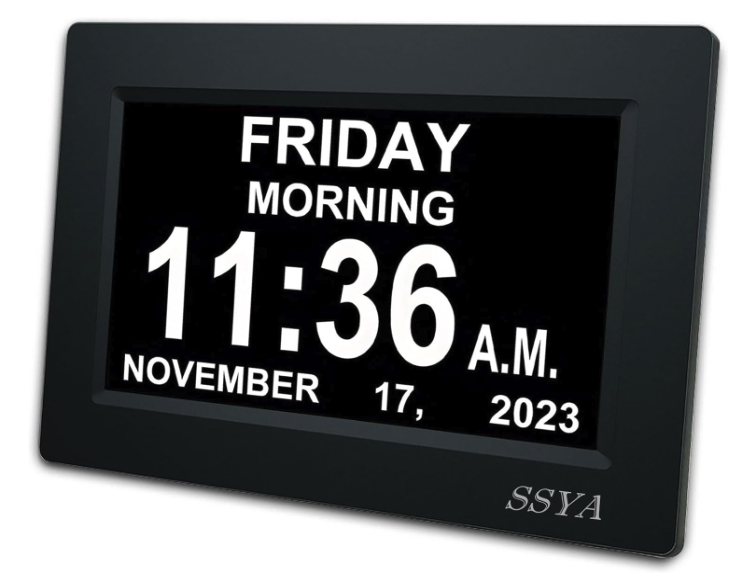
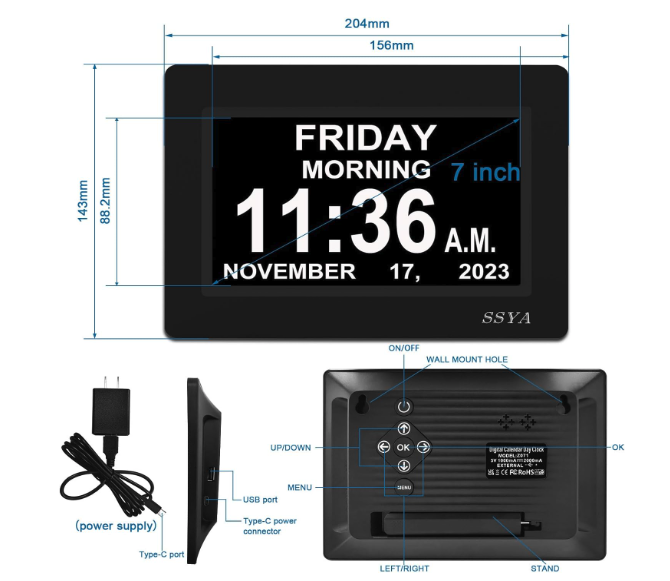
If you’re searching for a digital clock to assist someone in the early stages of dementia with memory loss, this is a solid choice due to its clear display and helpful features.
Pros
- High-resolution display enhances readability for seniors, especially those with visual impairments.
- The 12-alarm feature supports reminders for medication, appointments, and other daily routines, aiding time orientation.
- Power outage protection ensures the clock retains the correct time and date, providing convenience and reliability.
Cons
- No battery backup means the clock must always be plugged in to function.
- The absence of a USB port limits flexibility in powering or charging the device.
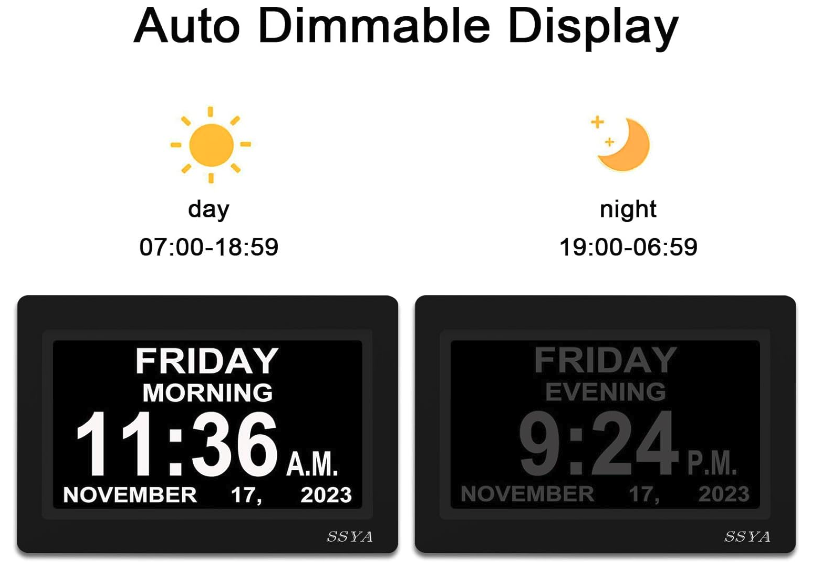
- While the auto-dim feature is beneficial at night, some might find the brightness adjustment range insufficient.
Review
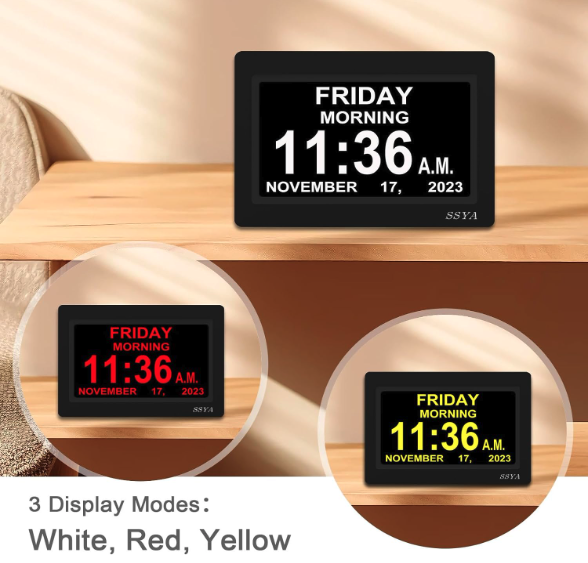
Timekeeping can be a challenge for individuals with cognitive impairments. This clock supports them by clearly indicating the full day of the week, current time, and period of the day without confusing abbreviations, fostering a sense of structure throughout the day.
The large display of this digital day clock is specifically designed to offer assistance to dementia or Alzheimer’s patients. The high-definition screen spells out the day, date, and time in large, non-abbreviated text, making it easier for users experiencing memory loss to track the time.
Setting up this calendar clock is simple, which means your loved one can benefit from it almost immediately after delivery. Its selection of 12 different alarm options also allows for custom reminders, making it an excellent tool for notifying users of important daily events or medication times.
Finding the right clock to support a family member with dementia can be vital to their daily independence. Offering a year warranty and a high-resolution digital screen, this 7-inch black clock makes an excellent option for those seeking a reliable and easy-to-read timekeeping device.
Specifications
- 7-inch Display
- Available in Black or White
MASSII
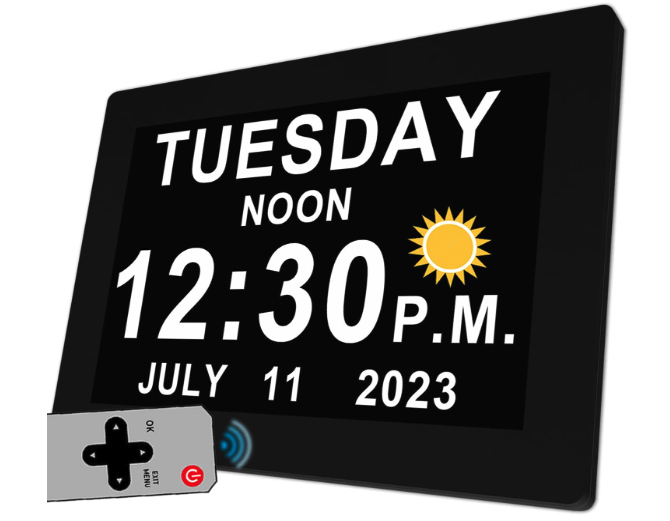
This clock is tailored to simplify time tracking for individuals with memory problems and could be an excellent addition to their daily routine.
Pros
High-definition digital screen enhances visibility.
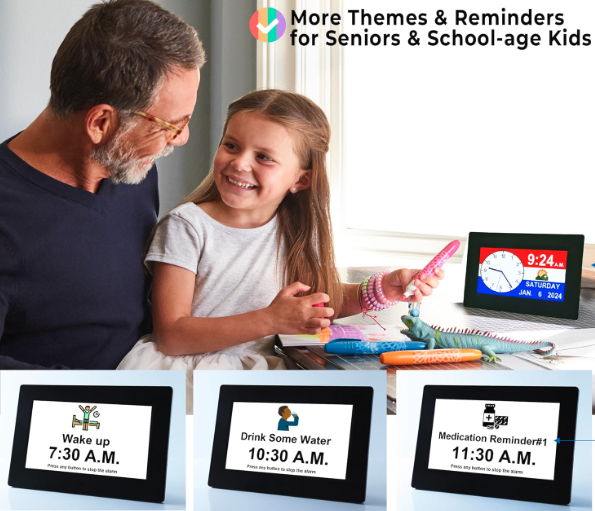
Custom alarms and medication reminders aid in remembering important events.
Automatic daylight saving adjustment ensures the correct time with minimal hassle.
Cons
A remote control may present an additional challenge for some users.
Reliance on a power source means a power outage could cause temporary issues.
Review
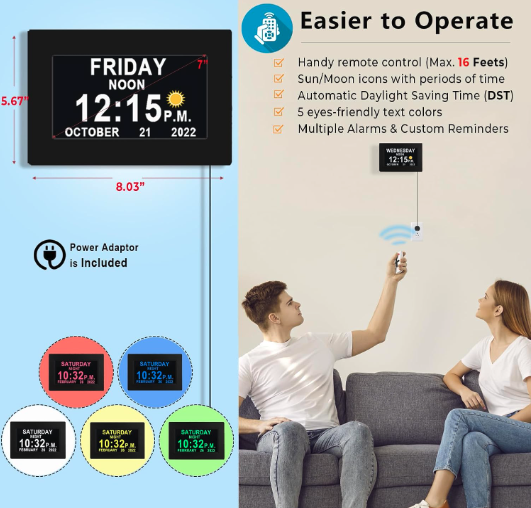
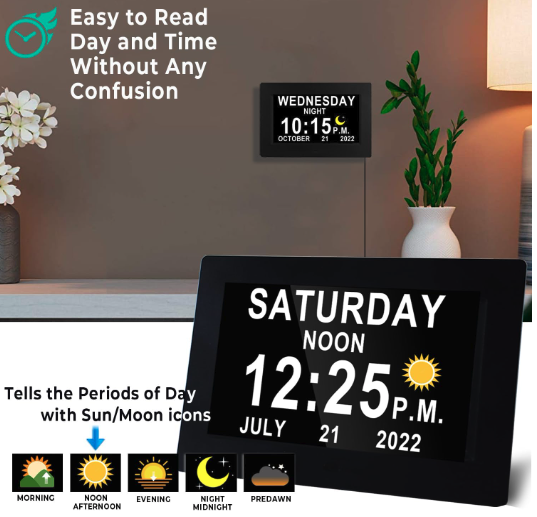
Choosing the right clock for dementia patients can significantly impact their ability to maintain a sense of structure in their daily lives. The MASSII Digital Clock has a large display that clearly indicates the full day of the week, making it less confusing than traditional clocks that often use abbreviations. The inclusion of visual icons for different times of the day is particularly helpful for those in the early stages of dementia, who may struggle with time orientation.
For family members looking to support their loved ones in keeping track of time, this digital calendar clock offers a range of features. It presents the current time with a high-definition digital display which is crucial for users with visual impairment. The clock goes further than simply telling time; it also doubles as a day clock support aid, complete with alarm options and medication reminders that are easy to set up via a USB port.
It’s worth noting the product does come with a one-year warranty, which provides a measure of confidence in its durability and performance. Custom alarms and timely reminders play a pivotal role for Alzheimer’s patients, making this clock more than just a timepiece but a part of their cognitive care toolkit. Furthermore, the digital screen’s large and clear display ensures the clock face is always readable, even from a distance.
While most users appreciate the alarms and reminders, it is important to acknowledge that for some, especially those with advanced cognitive impairment, using a remote control could prove challenging. However, the device’s straightforward delivery times and easy setup process are designed to reduce this complexity. It’s an ideal choice for a flat surface in a living room or bedroom, making it a central part of daily routines and helping Alzheimer’s patients find comfort in their familiar environment. If keeping a correct track of time and important events is a priority, the MASSII Digital Clock could make a difference and it automatically adjusts to Daylight Saving Time.
Specifications
- Available in 7″ and 11.5″
- Available in Black or White
- Remote Control
Bgift
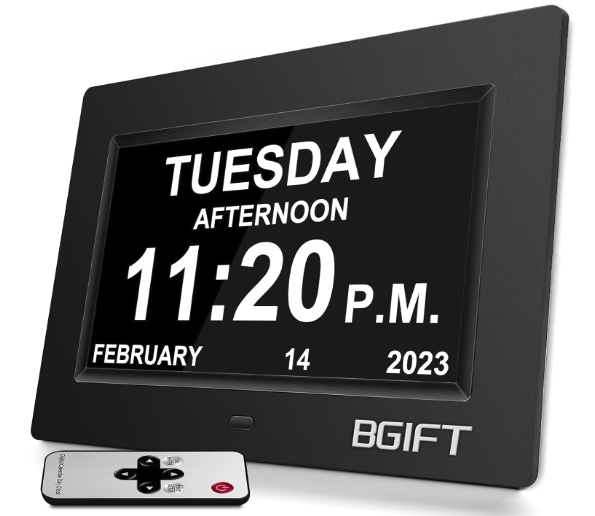
If you’re considering a clock for seniors with dementia, this digital clock is a thoughtful choice due to its clear display and helpful features.
Pros
- Enhanced visibility with its large display and clear font
- Equipped with multiple alarms to aid with medication reminders
- It offers an auto-dimming feature for nighttime ease
Cons
- Lacks battery backup, relying solely on A/C power
- May take some time to set up all features initially
- Only one style option is available, which might not suit all decor preferences
+

Review
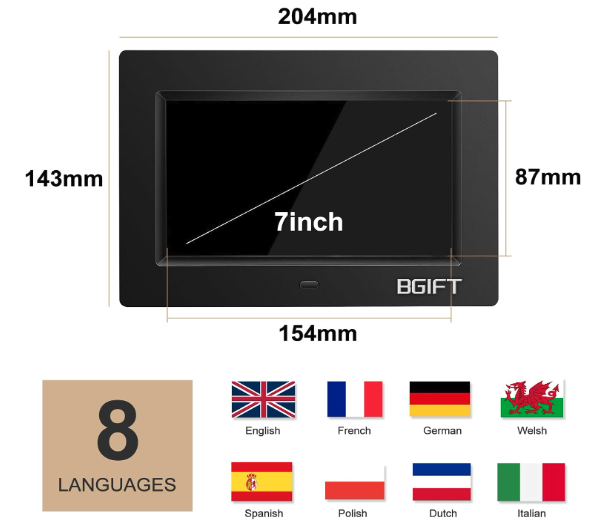
Selecting the right clock can be crucial for those experiencing memory loss or cognitive impairment. A digital display that clearly indicates the full day of the week, the period of the day, and the current time can significantly assist seniors in maintaining their daily routines. This Bgift clock features a large screen that spells out all this information without any confusing abbreviations, providing a sense of structure to those in the early stages of dementia.
For someone with visual impairment or memory problems, it’s important that a clock offers more than just the time. This digital day clock comes with 12 alarm settings, making it a reliable medication reminder and helping family members find comfort in knowing their loved ones are managing their important events. Moreover, the various font colors are designed to support those with color blindness, making this device a versatile tool for caring for dementia patients.
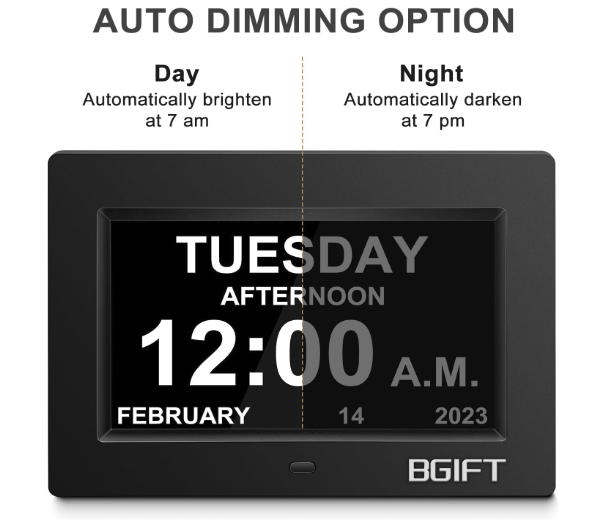
The clock’s auto-dimming option ensures that the digital screen is not too bright during the night, adapting to the different times of the year. This feature adds comfort by not disrupting sleep while still keeping track of time. In case of an unforeseen power outage, the clock will restore the correct time once power returns, thanks to its internal memory, ensuring consistent reliability. While the clock doesn’t operate on a battery, the inclusion of an A/C adapter and a year warranty make this Bgift clock a substantial aid in the collection of dementia clocks available for consumer use
Specifications
- Available in Black or White
- 8 Languages
- 5 Font Colors
- 7″ Display
YORTOT
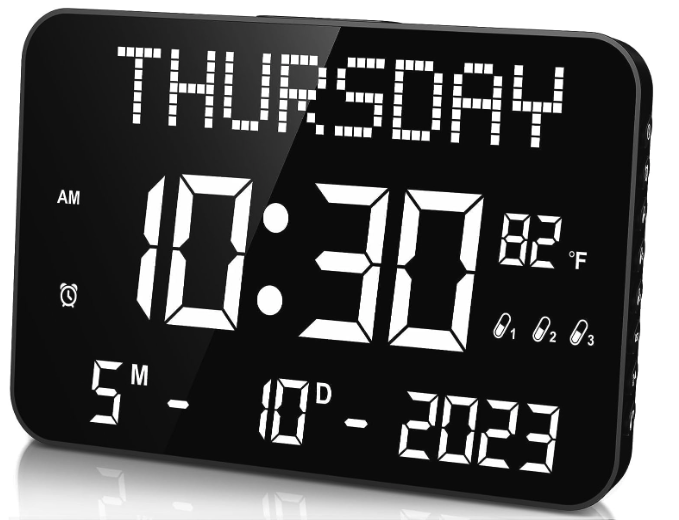
This clock may be the right choice for helping seniors with dementia maintain awareness of the current time and day.
Pros
- Large display enhances readability for seniors with visual impairment
- Customizable alarms with various ringtones aid in medication reminders and daily routines
- Battery backup ensures timekeeping during power outages
Cons
- Remote may be misplaced, complicating operation for some users
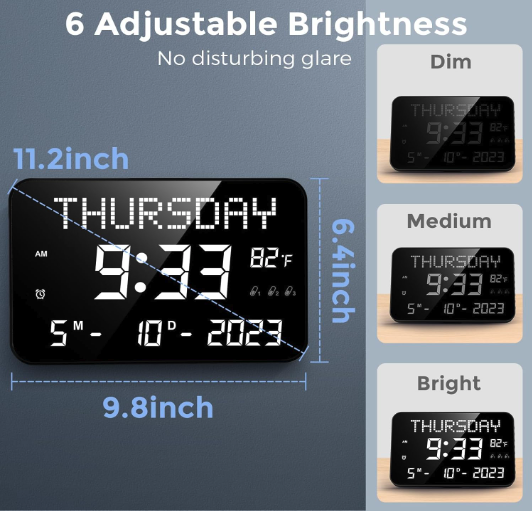
- The bright display might be disruptive at night, despite the adjustable brightness
- Reliance on AC power limits placement to near outlets, unless using battery backup
Review
Choosing a clock for someone with memory problems like dementia isn’t just about finding an easy-to-read display; it’s crucial to consider features that align with their daily needs. The YORTOT clock boasts a large digital screen that clearly shows the full date and the time of day, avoiding confusion and providing a sense of structure. Its simplicity can be an asset; for individuals in the early stages of dementia or with cognitive impairment, this clock avoids the confusing abbreviations that traditional clocks may present.
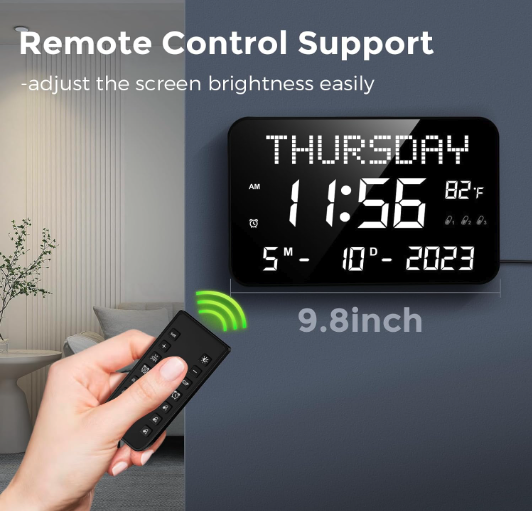
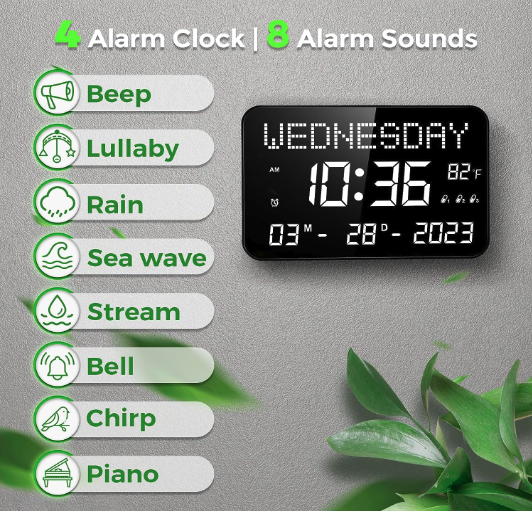
Setting up the YORTOT clock is straightforward using the provided remote control, which is a boon for family members who may be assisting. The remote’s functionality allows the customization of alarm settings. With a range of volume options, including an extra loud alarm, it’s suitable even for those with hearing challenges, ensuring they don’t miss important events like medication times or their favorite show.
Suitable for mounting on a flat surface like a wall or placing on a tabletop, this versatile device fits various living arrangements. Whether in the hustle of the kitchen or the calm of the bedroom, the adjustable brightness ensures that the display is never overwhelming, even during the tranquility of night. The inclusion of battery backup is a thoughtful touch, keeping track of time even during power outages. With these features, this digital alarm clock serves as an excellent option for those looking to maintain time orientation, offering both peace of mind and a greater sense of independence.
Specifications
- 4 Alarms
- 8 Sound Modes
- Battery Backup
SVINZ
Finding the right clock for seniors dealing with dementia can be a task, but this model offers features that address time orientation and memory loss thoughtfully and with ease.
Pros
- Large, clear display eases reading for those with visual impairment.
- Customizable alarms for keeping track of important daily routines.
- Battery backup ensures the clock maintains the correct time during power outages.
Cons
- May be complex for some users when setting up alarms or adjusting settings without assistance.
- Limited to an electric power source, unless the backup battery is in use.

Review
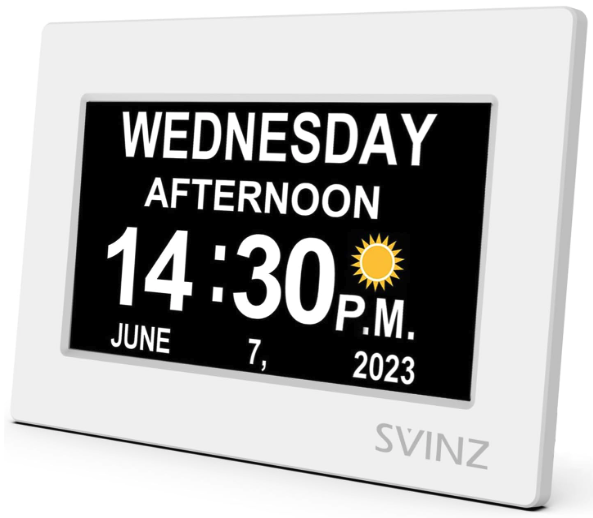
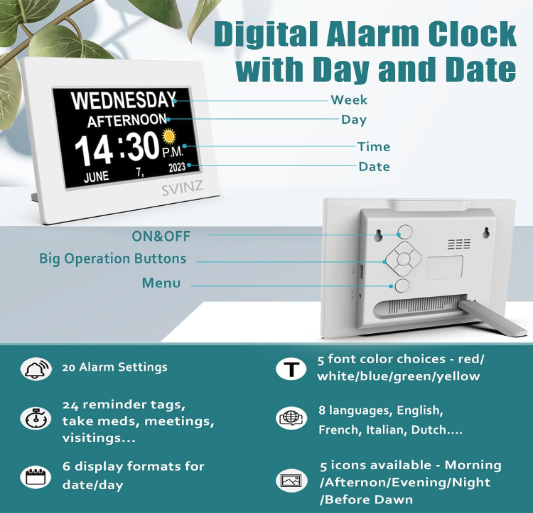
Individuals confronting dementia or early stages of Alzheimer’s require consistent reminders for different parts of the day. The SVINZ Dementia Clock caters to this need with a large display that clearly shows the full day of the week, making it easier for your loved one to track time. The digital screen prominently features the current time without confusing abbreviations, which is often a hurdle with traditional clocks.
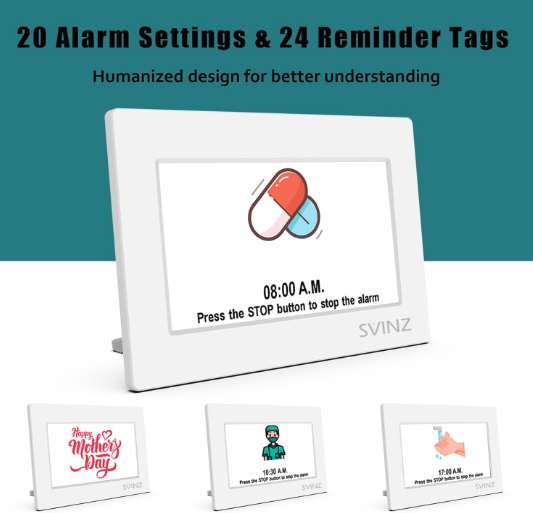
Custom alarms serve as medication reminders or alerts for other important events throughout the day, offering peace of mind for both seniors and their family members. With the ability to set up to twenty alarms, maintaining daily routines becomes more manageable, providing a much-needed sense of structure to your loved one’s life.
A built-in battery backup reassures you that in the event of a power outage, the SVINZ clock will retain the correct time, easing the worry that your family member might miss a mealtime or a favorite show due to incorrect time display. Albeit reliant on a power source, this battery reserve illustrates how the clock maintains its functionality, embodying a blend of reliability and ingenuity.
Whether wall-mounted or placed on a flat surface, the clock’s versatile design accommodates the living space of any senior. This clock offers a visual aid that serves its purpose well beyond just telling the time—it becomes an integral part of managing the effects of cognitive impairment.
Specifications
- Available in White
- 7″ Display
- 20 Alarm Options
- 24 Daily Reminders
Mitoart
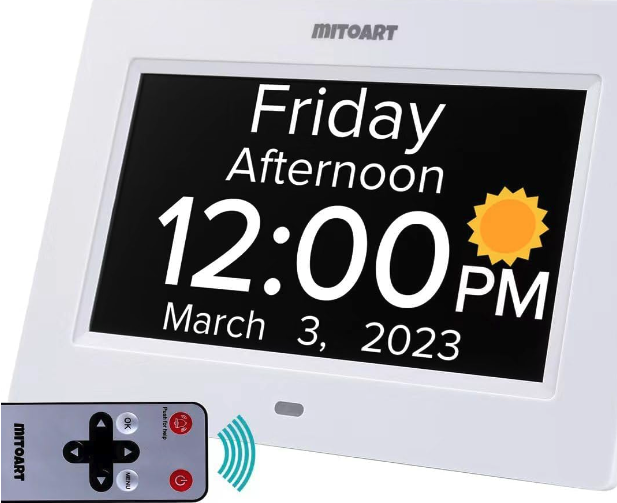
You’ll find this clock to be a supportive tool in managing the daily routines of individuals with dementia, owing to its clear display and practical features.
Pros
- Offers an easy-to-read digital display that reduces time confusion
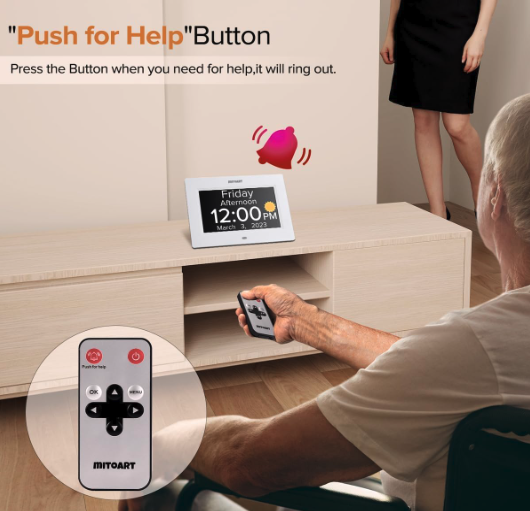
- Includes a helpful “push for help” button for emergencies
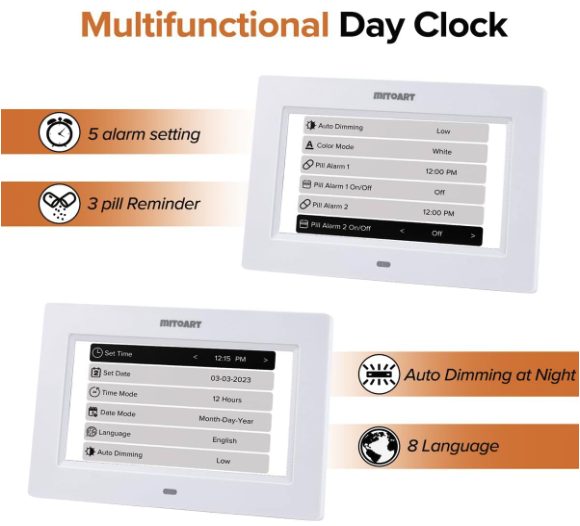
- Provides customizable alarm settings and multilingual support
Cons
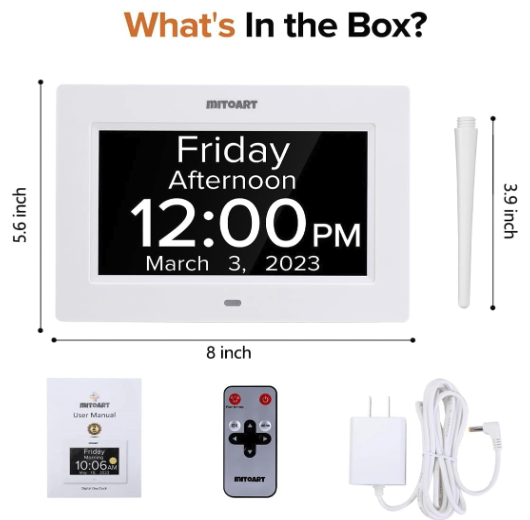
- Only operates with a plug-in outlet, limiting portability
- May require assistance for initial setup by someone tech-savvy
Review
The Mitoart Digital Calendar Day Alarm Clock boasts a large display that clearly indicates the full day of the week, ideal for seniors who may have difficulty with traditional clocks full of confusing abbreviations. The clarity of the current time, including the period of the day, helps maintain a sense of structure.
Considering the challenges of memory loss, this clock serves as more than a timekeeper. Its alarm settings cater to those who need medication reminders or simply a nudge for important events throughout the day. The inclusion of a “push for help” button can be a lifeline, connecting seniors with family members or caregivers in an emergency, and instilling a sense of security.
The utility of this product is further enhanced by its ability to showcase the time in different languages, accommodating a wider range of dementia patients. Although specialized features, such as the emergency button, underscore its thoughtful design, setting up custom alarms and navigating options may require support, making it important for users to have help if needed. The 2-year warranty adds an extra layer of confidence for consumers considering this product for either personal use or as a great gift option for a loved one.
Specifications
- Available in Black or White
- 7″ and 10″ available
- 5 Alarm Settings
- 3 Pill Reminders
- 8 Languages
LUCKSKY
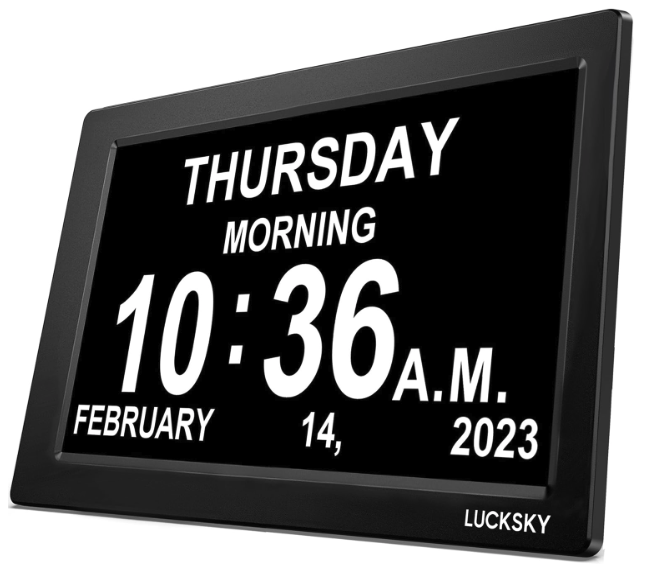
This digital clock could be the right choice for seniors needing a clear display of time, day, and date to assist with memory loss.
Pros
- Vibrant image icons for easy daily routine reminders.
- Large display with adjustable brightness for those with visual impairment.
- Memory function maintains the correct time even after a power outage.
Cons
- Requires continuous power supply, can’t be used portably.
- May not be suitable for the very early stages of dementia due to its digital nature.
- Lack of confusing abbreviations but still needs initial setup by someone familiar with digital devices.

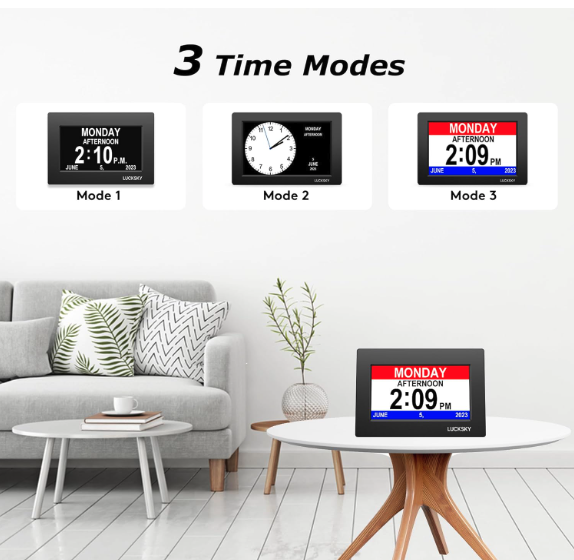
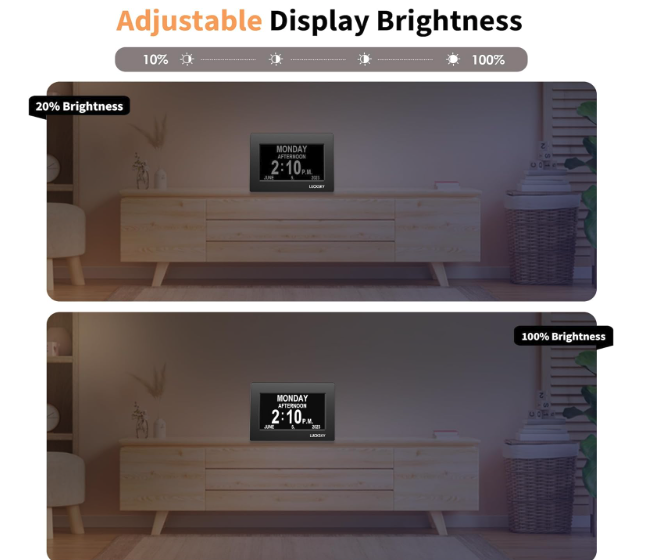
Review
The Lucksky Digital Clock offers a full day of the week displayed, reducing confusion about the period of the day. Its large digital screen is a staple for those who experience difficulty tracking time. For seniors who easily lose track of the day of the week, this device can be an excellent aid.
For those who have difficulty with vision, the high-definition, large numbered clocks enhance readability. The display, clear and uncluttered, allows for quick comprehension of the current time and reduces the chances of misunderstanding due to visual impairment.
Considering the daily routines, this clock has an additional feature that stands out: vibrant icon reminders. These can function as a medication reminder or a prompt for other important events throughout the day, offering a sense of structure and assistance. With the assurance of a year warranty, the risk for consumers is minimized.
While the clock is designed for ease, it assumes a certain level of acumen with digital devices for the initial setup. Though this might present a challenge, family members or caregivers can often provide the needed support. The alarm settings, including an extra loud alarm, accommodate those who require a more robust wake-up call and can also be customized, making it versatile for different needs.
In case of a power outage, the battery backup ensures that the clock retains the right time, reducing the frustration of having to reset it manually. This feature does more than just tell time—it provides reliability and continued time orientation, which is a critical aspect for Alzheimer’s patients and those experiencing cognitive impairments.
The Lucksky Digital Clock is more than a mere timekeeping apparatus; it’s a comprehensive tool designed to assist with the challenges of memory loss and disorientation regarding times of the day. It serves as a great gift option or a practical purchase, offering a piece of mind to users and their loved ones.
Specifications
- Available in Black
- Available in 7″ or 10″
- 5 Fonts
- 8 Languages
JALL
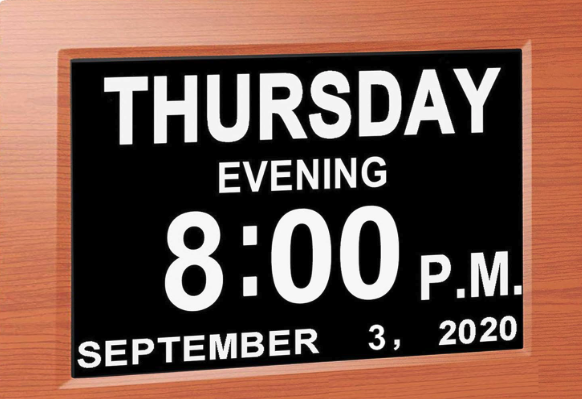
Consider this clock for its clear display and simplicity, beneficial for those in the early stages of dementia.
Pros
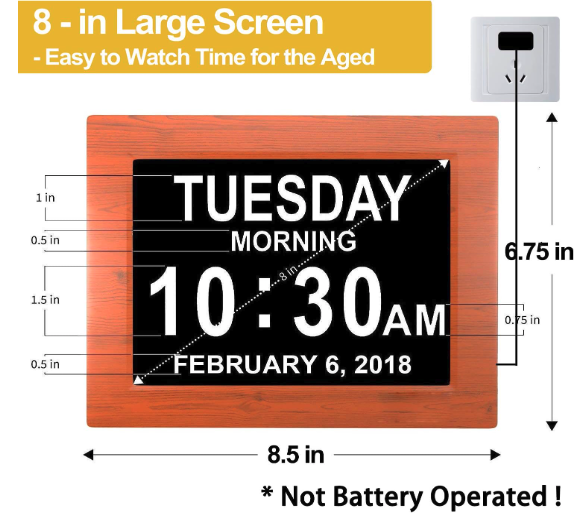
- Enhanced visibility with an 8-inch high-resolution display
- Auto-dimming feature adjusts brightness for day and night
Cons
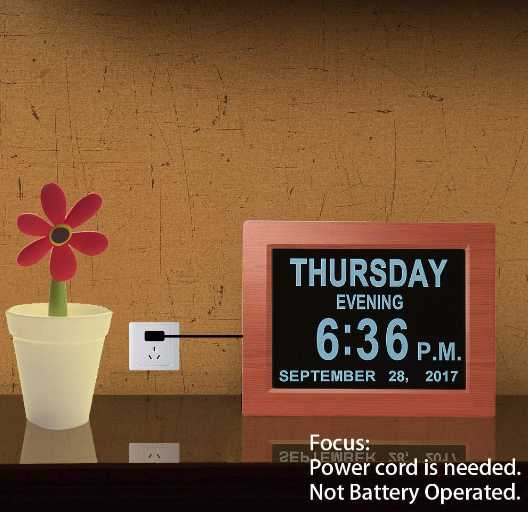
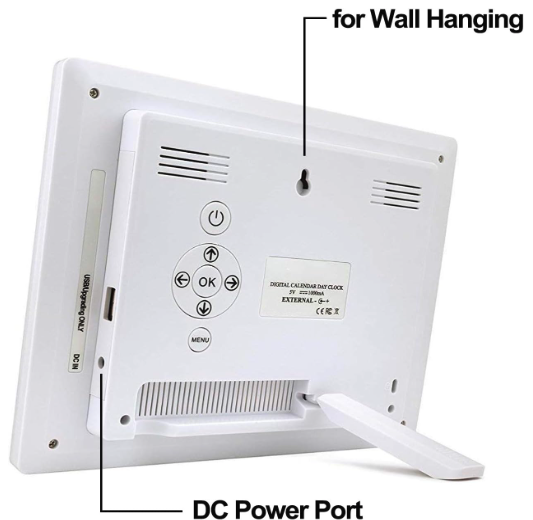
- Not battery-operated; requires a power outlet
- May not include a stand as expected for shelf placement
- Possible longevity issues reported by some users
Review
This JALL clock is designed with clarity in mind, boasting a large digital screen that spells out the full day of the week, the period of the day, and the current time. The visual impairment often associated with memory problems is addressed with the large 8-inch display and highly legible font, ensuring even those with visual challenges can easily orient themselves at a glance.
Consider the digital clock’s role in creating daily routines for dementia patients. Multiple alarm options serve as helpful reminders for important events throughout the day, from taking medications to keeping track of time for favorite shows. The clock’s ease of use is a great gift option for family members seeking to assist loved ones with time orientation.
For nighttime use, the dimming option works to prevent disturbance while still offering a clear display of the time should one wake up during the night. This adjustment aids in avoiding over-brightness in a dark room, ensuring comfort for a full night’s sleep. While the clock is ideal for those with cognitive impairment, it remains a practical choice for anyone in need of a digital day clock with easy-to-read clocks and straightforward functionality.
Specifications
- Available in Woodgrain, Black or White
- 8″
- 2 – 5 Alarms
American Lifetime
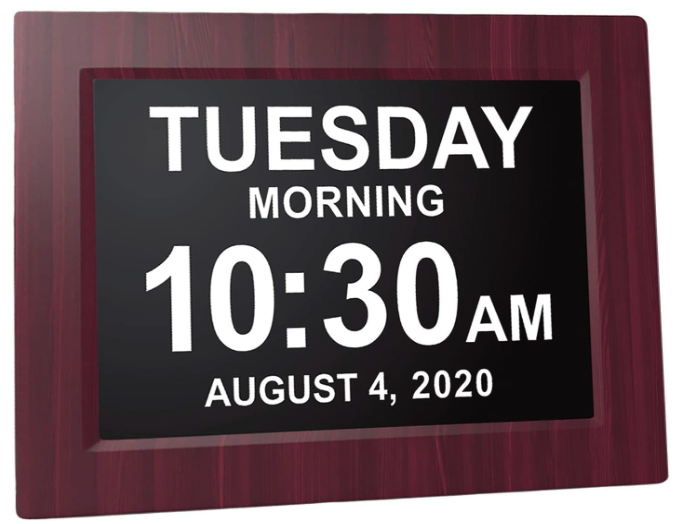
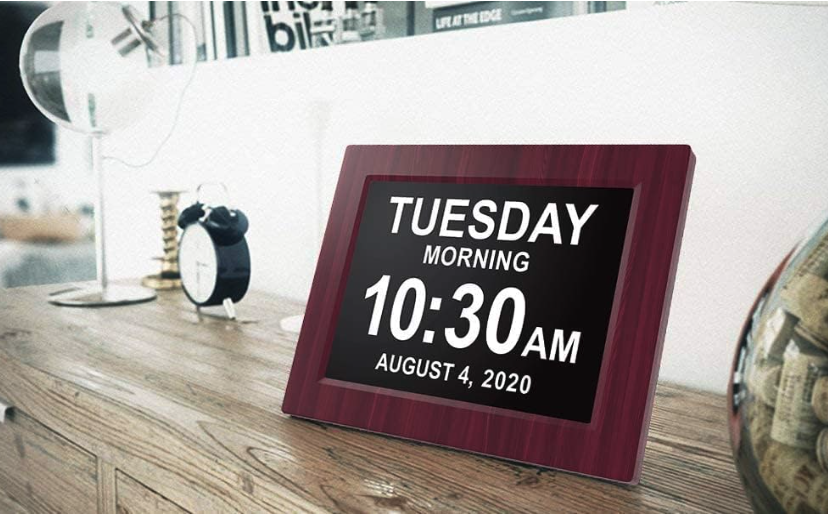
Consider this clock if you’re seeking a digital timepiece designed to aid those in the early stages of dementia by keeping track of both the period of the day and the full day of the week without any confusing abbreviations.
Pros
- Clear display enhances time orientation for dementia patients
- Custom alarms act as medication reminders and for other important events
- Battery backup ensures the display of the correct time even after a power outage
Cons
- Some users report the clock runs fast over time
- May not be as durable as expected by some consumers
- Auto-dimming feature performance varies
Review
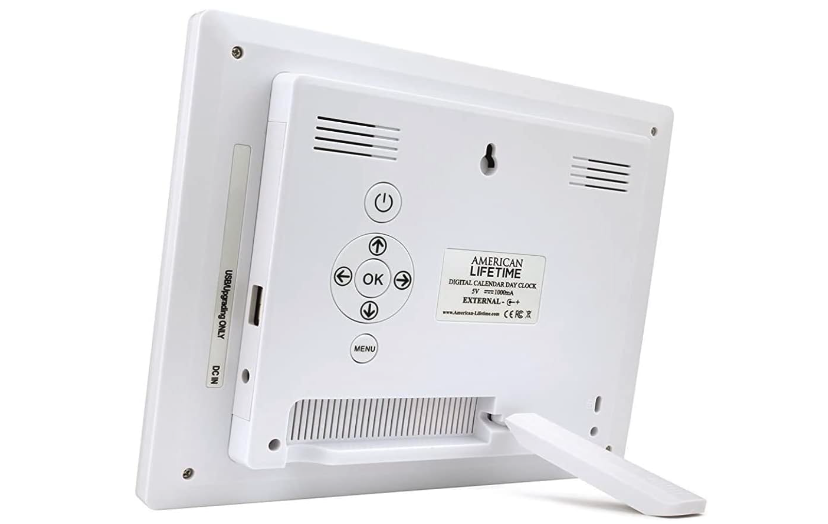
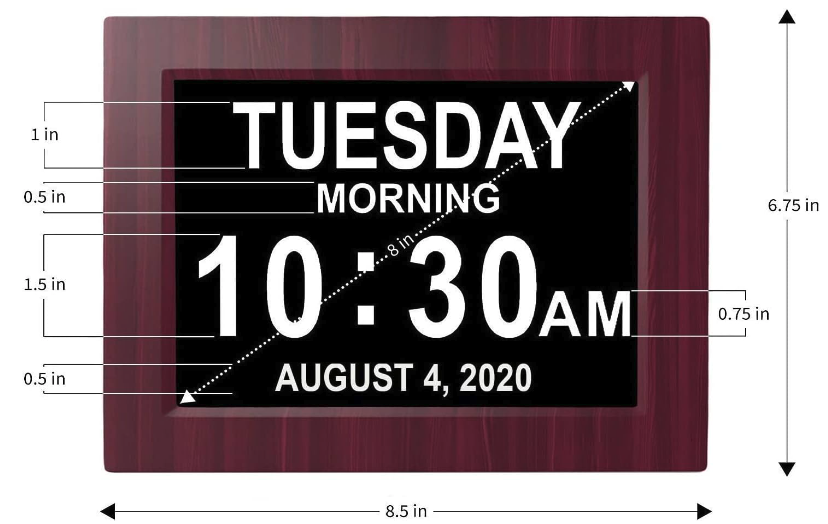
Visual impairment and memory loss can make traditional clocks challenging to use. That’s where the large display of the American Lifetime Dementia Clock comes into play, specifically designed with a clear digital screen that spells out the current time, full day of the week, and part of the day in large letters, facilitating easy time tracking for seniors.
For those with cognitive impairments, keeping a sense of structure during the day is crucial. This digital day clock comes with customizable alarm options, allowing users to set up to five daily alarms for different needs, such as taking medications. The alarm settings help dementia patients maintain daily routines while providing family members with peace of mind. The battery backup is especially useful, assuring that the clock maintains the correct time and negates the inconvenience of re-setting it after a power outage.
When choosing the right clock for your loved one, consider the high quality of the American Lifetime Dementia Clock. Do take note, that some consumers reported that their clock ran faster than expected, which could be a concern. However, considering the wide range of dementia clocks available, the American Lifetime Dementia Clock stands out with its large display digital screen, easy setup, and effective alarm settings – each integrated thoughtfully for seniors and their family members.
Specifications
- Available in 8″ or 12″
- Available in Black, White, Gray, Brown Polished Black, or Mahogany
- 5 Alarms
Robin Talking Clock
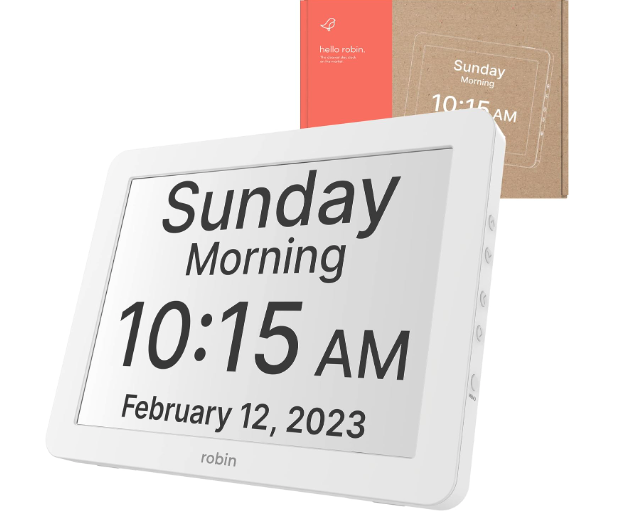
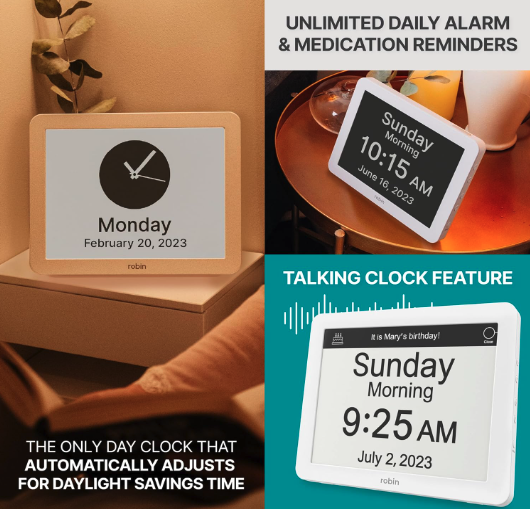
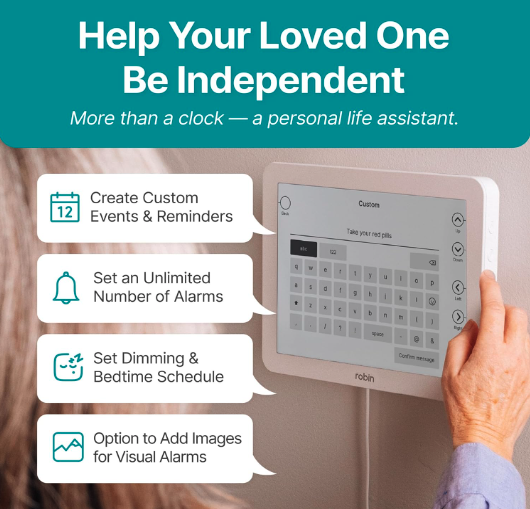
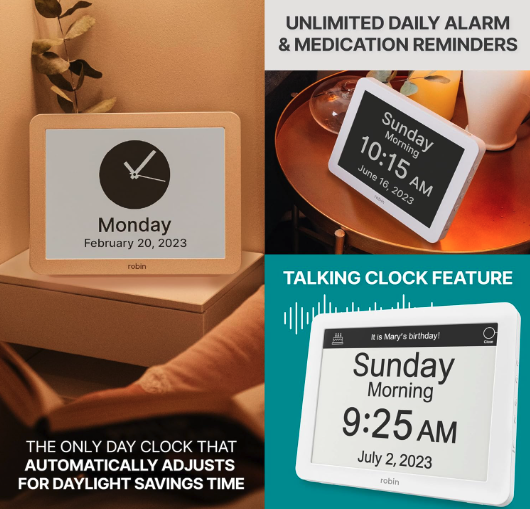
As you consider adding a new piece of technology to your home, especially one that could help with memory and organization, the Robin Digital Day Clock 2.0 might catch your eye. This upgraded version is designed with user-friendliness in mind, particularly for seniors or those who could benefit from memory aids. Its large, crisp display is easy to read from any angle, and the clock comes with a variety of customizable features such as alarms, calendar reminders, and the ability to display personal messages.
Pros
- High-Definition Display: You’ll appreciate the crystal clear 12-inch HD color screen that offers a wide 170° viewing angle, ensuring you can read the time from virtually anywhere in the room.
- Customizability: You have the option to set multiple alarms with adjustable volumes and messages, ensuring important reminders aren’t missed.
- Voice Feature: A convenient one-touch button vocalizes the day and time, plus the ability to schedule spoken reminders for events or holidays.
Cons
- Alarm Reliability: There are instances reported by users where the alarm did not function as preset, which could lead to confusion and inconvenience.
- Defects and Functionality: A few users have experienced issues with incorrect data displayed on the screen, questioning the reliability of the product.
Review
The product features a high-definition 12-inch display, which is crystal clear and visible from a 170° angle, making it convenient to read from various positions in a room. Additionally, it emphasizes a simple design with side buttons that are readily accessible, catering well to seniors or those who may prefer a straightforward interface.
Ease of setting up is a highlight, offering the ability to create multiple custom alarms and reminders with volume and message customization. The clock adjusts to daylight saving time automatically, and the inclusion of a talking function at the press of a button adds a layer of convenience.
However, some users have reported challenges with the alarm functionality, stating it may not always be reliable. Also, while the design is thoughtful, the display characters may appear slightly smaller than similar clocks on the market, which could be of concern for those with visual impairments.
Overall, the Robin Digital Day Clock 2.0 presents a balance of user-friendly features against a few points of contention that potential users should consider when deciding on its suitability for their needs.
Specifications
- Available in 6 Colors
- Available Sizes 8″, 12″ and 15″
- Unlimited Alarms
- 20+ Preloaded Events or Write Your Own
- Talking
Buying Guide
Key Features to Consider
When selecting a clock for seniors with dementia, it’s imperative to focus on features that alleviate memory loss and help maintain a sense of structure throughout the day. Clarity and ease of use are paramount.
- Display: Opt for a large display digital clock that showcases the current time, day of week, and full day of the week without confusing abbreviations. It should be clear to read, even for those with visual impairment.
- Visibility: A digital screen with a high-definition interface or an inch-high number ensures better visibility for dementia patients.
- Time Orientation: A digital calendar clock might show not only time but also important events, times of the year, or even periods of the day which helps in maintaining time orientation for Alzheimer’s patients.
| Feature | Description |
|---|---|
| Display | Large, clear display with all relevant information for the time of day and period of the day. |
| Orientation | Helps in keeping track of time and daily routines. |
| Alarms | Custom alarms for medications or important events; extra loud options available. |
Additional Features
- Functionality: Clocks should come with features like medication reminders and alarm options to assist with daily tasks.
- Simplicity: Easy-to-read clocks with straightforward digital displays are best. Avoid traditional clocks which may be harder to comprehend at early stages of dementia.
- Accessibility: A digital display should include a dimming option for night time, and also a battery backup in case of a power outage.
Considerations Before Purchase
- Dimensions: Ensure the dimensions of the clock fit the intended flat surface.
- Sound: If necessary, seek alarm clocks with an extra loud alarm for those with hearing difficulties.
- Technology: Some clocks have clockaid apps or can double as an android tablet, offering additional day clock support.
- Warranty: Consider clocks with at least a year warranty for peace of mind.
Safety and Convenience
- Power Source: Look for a clock with multiple power options such as a USB port to ensure the clock remains operational throughout a full day of the week.
- Support: Check if there’s a customer support service for consumer use.
- Returns: Understand the return policies and verify that items can be returned in their original packaging.
| Consideration | Importance |
|---|---|
| Dimensions | Fit for item location and accessible |
| Sound | Customizable alarm settings for night clocks |
| Technology | Simplified interface; consider a digital clock with high-quality features |
| Support & Returns | Reliable post-purchase support; clear return process |
Conclusion
In conclusion, choosing the right clock can significantly impact the daily lives of seniors living with dementia. By selecting a clock that suits their specific needs, such as large, clear displays, understandable labeling, and intuitive design, caregivers and family members can help alleviate some of the challenges associated with dementia-related confusion and disorientation. These clocks not only serve as timekeeping devices but also as tools to promote independence, reduce anxiety, and enhance the overall well-being of seniors with dementia. Investing in one of the recommended clocks is a small yet meaningful step towards providing comfort, support, and dignity to our loved ones as they navigate the complexities of dementia.
With all products, features can change, so be sure the qualities that attract you to the product are still the same before purchasing.
What feature of a clock for seniors do you find the most beneficial? Please comment below.